
The opportunity
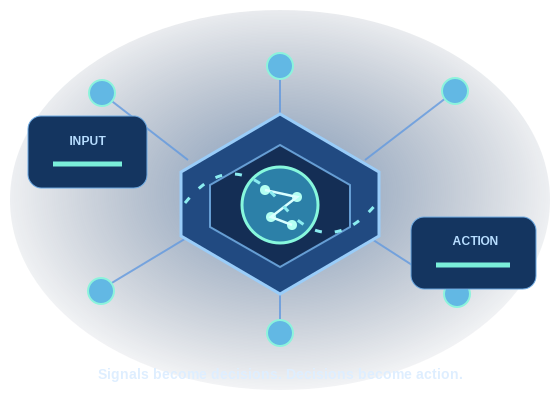
In January 2024 many technology teams wanted to extend AI pilots into systems that carried actual customer and financial records. A draft email or internal summary is one kind of task; changing a sales opportunity, customer address or invoice is another. The practical starting point is to separate an assistant’s suggested answer from a business transaction. An integration boundary defines which evidence a model can retrieve, which operations it may propose and which authorised person must approve a change. This keeps the discussion anchored in accountable workflows rather than in an attractive conversational interface.
Where risks actually appear
A common shortcut gives a chatbot broad access to a CRM administrator credential and asks it to carry out natural-language instructions. That design bypasses existing roles, audit trails and approval practices. It also amplifies data quality problems: a duplicated contact or outdated opportunity note can look persuasive when wrapped in a fluent answer. Even read-only retrieval requires care where one salesperson may not see another team’s accounts. Source documents can contain instructions that look like commands but must be treated as untrusted information.
Related reading: Professional Services: Copilot and Client Onboarding Without Unsupported Promises · Why Generative AI Needs an Integration Boundary Before It Reaches Your CRM
A defensible implementation approach
Begin with a narrow workflow: read an approved record, identify missing fields and generate a proposed update for review. Authenticate the caller separately from the model and check each API operation against the user’s actual permissions. Put an explicit approval gate in front of writing, deleting, emailing or changing a financial value. Log the business record identifier, source evidence, approval decision and final API result without storing unnecessary sensitive prompts. Deny unknown record references rather than allowing broad search through the database.
What this looks like in practice
Consider a supplier-account team that receives a customer request to correct an address. The assistant retrieves the relevant CRM account from a known customer number and proposes an address change, but a staff member compares it to the signed request. If the customer name differs or the evidence is missing, the case moves to an exception queue. The assistant cannot invent an account, select a similar-sounding customer or bypass the staff decision. The same control works with ERP purchase orders, service tickets and project status records.
How to judge whether it works
Measure authorised changes, incorrect record matches, reviewer correction time and the volume of rejected proposals. A successful pilot demonstrates a shorter handling time without a higher reversal rate. Record who owns the integration and how to disable it if logging or identity checks fail. When the proof is sound, expand one API operation at a time. Avoid making success dependent on the model being correct in every circumstance; design the business process to remain safe when it is wrong.
Putting the approach into practice
Record the decision for the Start the Year with an AI-to-CRM Integration Boundary decision: attach approvals, reproducible logs and an expiry date for any accepted exception while reviewing client deliverable review in a workflow involving a CRM record passed into a finance or fulfilment workflow. Assign the business application owner to test duplicate updates, stale fields and unauthorised write-back, particularly where it touches engagement and client records, retain record ID, integration trace, approver and reconciliation result; include the relevant engagement and client records handling rule and agree when to disable the connector and reconcile affected records manually. Record the actual result and any unresolved condition;
Map the boundary for the Start the Year with an AI-to-CRM Integration Boundary decision: trace the original request to the authorisation step and identify the data classification while reviewing client deliverable review in a workflow involving a CRM record passed into a finance or fulfilment workflow. Assign the business application owner to test duplicate updates, stale fields and unauthorised write-back, particularly where it touches engagement and client records, retain record ID, integration trace, approver and reconciliation result; include the relevant engagement and client records handling rule and agree when to disable the connector and reconcile affected records manually. Record the actual result and any unresolved condition;
Questions for your project team
-
Who owns the factual sources and can correct an outdated statement?
-
Which user roles may see the information, and can access denial be demonstrated?
-
Which outputs require professional, managerial or operational approval?
-
How will exceptions, supplier changes and failed integrations be handled?
-
What outcome improves after including the time needed to verify and correct drafts?
Sources and further reading
Draw the authoritative path
The practical boundary for start the year with an ai-to-crm integration boundary is the point where information becomes an authorised business action. Keep a copy of the last correct business state and the identifier used to reconcile later changes. Compare the effort of a manual exception with the expected benefit before expanding the rollout. The reconciliation record should tie the request to CRM record ID, ERP posting, event timestamp and exception owner. If the expected state cannot be established, pause the connector and correct the authoritative record before replaying queued events.
Consider the receiving application, not just the tool sending the request. Use a synthetic update followed by an out-of-order duplicate. The test passes only if the approved later value remains authoritative and any correction is attributable to an owner. Record who sent the change, which application accepted it and whether the receiving system reconciled the result. A successful API response is not enough when the business record is inconsistent. The change belongs to business applications lead; when reconciliation cannot be demonstrated, the safe alternative is a controlled manual reconciliation until the interface contract is proven.
Design for the awkward failure
In a start the year with an ai-to-crm integration boundary project, the next stage should be justified by evidence from a repeatable user task. Compare the effort of a manual exception with the expected benefit before expanding the rollout. Do not treat an API success message as evidence that all dependent records were corrected. The reconciliation record should tie the request to CRM record ID, ERP posting, event timestamp and exception owner. If the expected state cannot be established, pause the connector and correct the authoritative record before replaying queued events.
Reliable delivery of start the year with an ai-to-crm integration boundary calls for a decision record that a different team can understand. Check that the destination application denies the request when the source has not supplied the required authority. Retain enough context for a later reviewer to distinguish a new fault from a previously accepted exception. The reconciliation record should tie the request to CRM record ID, ERP posting, event timestamp and exception owner. If the expected state cannot be established, pause the connector and correct the authoritative record before replaying queued events.